Download Pikashow Task Management – task management, productivity tool, project organization, workflow efficiency, to-do list, task tracking
Overview
Pikashow Task Management is a productivity-focused desktop application designed to streamline workflow organization and task tracking. Built using Electron.js, the app delivers a lightweight yet powerful solution for individuals and teams seeking to enhance their daily productivity. Its primary purpose is to simplify task creation, categorization, and progress monitoring through an intuitive interface that minimizes cognitive load. By allowing users to assign deadlines, set priority levels, and toggle task statuses with a single click, the app addresses common challenges in task management such as missed deadlines, disorganized workflows, and lack of real-time visibility into progress.
Target users include freelancers, students, developers, and remote professionals who rely on consistent task tracking to meet personal and project-based goals. The app supports diverse use cases, from managing daily to-do lists to organizing complex, multi-stage projects. Its cross-platform availability across Windows, macOS, and Linux ensures users can maintain workflow continuity regardless of their operating system. While the developer did not provide additional background on Pikashow’s history or team, the app’s design philosophy emphasizes clarity, efficiency, and user control. In the broader productivity app ecosystem, Pikashow Task Management fills a niche for lightweight, secure, and distraction-free tools that prioritize functionality over feature bloat.
Key Features & Functionality
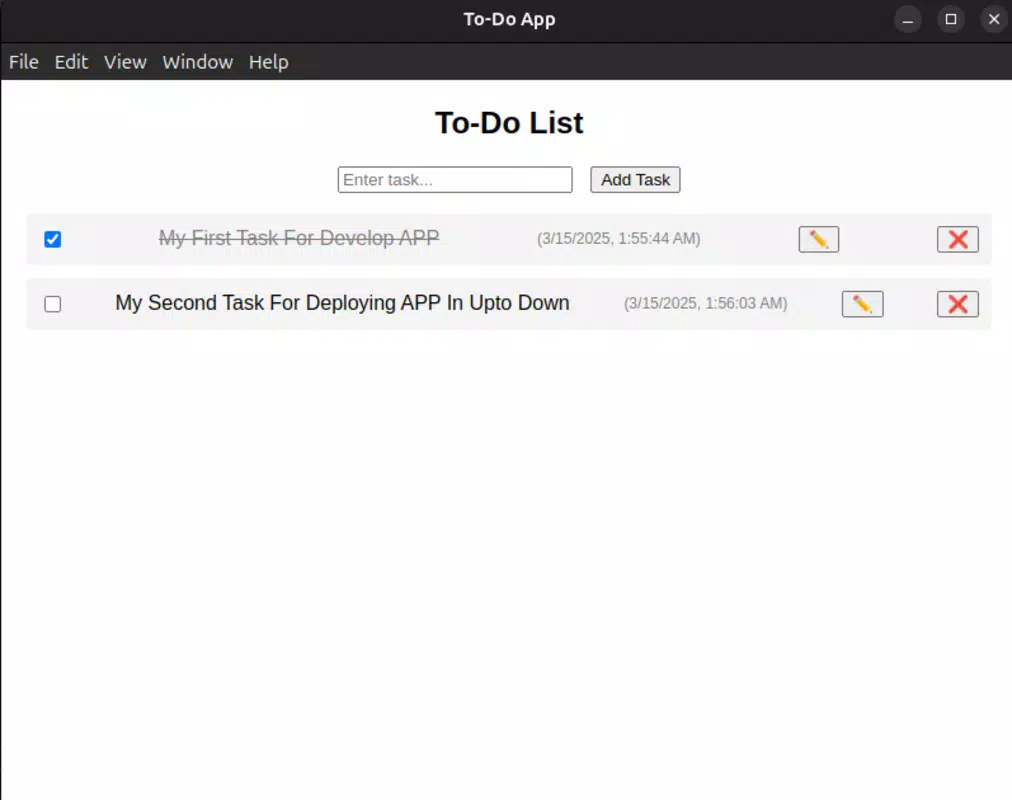
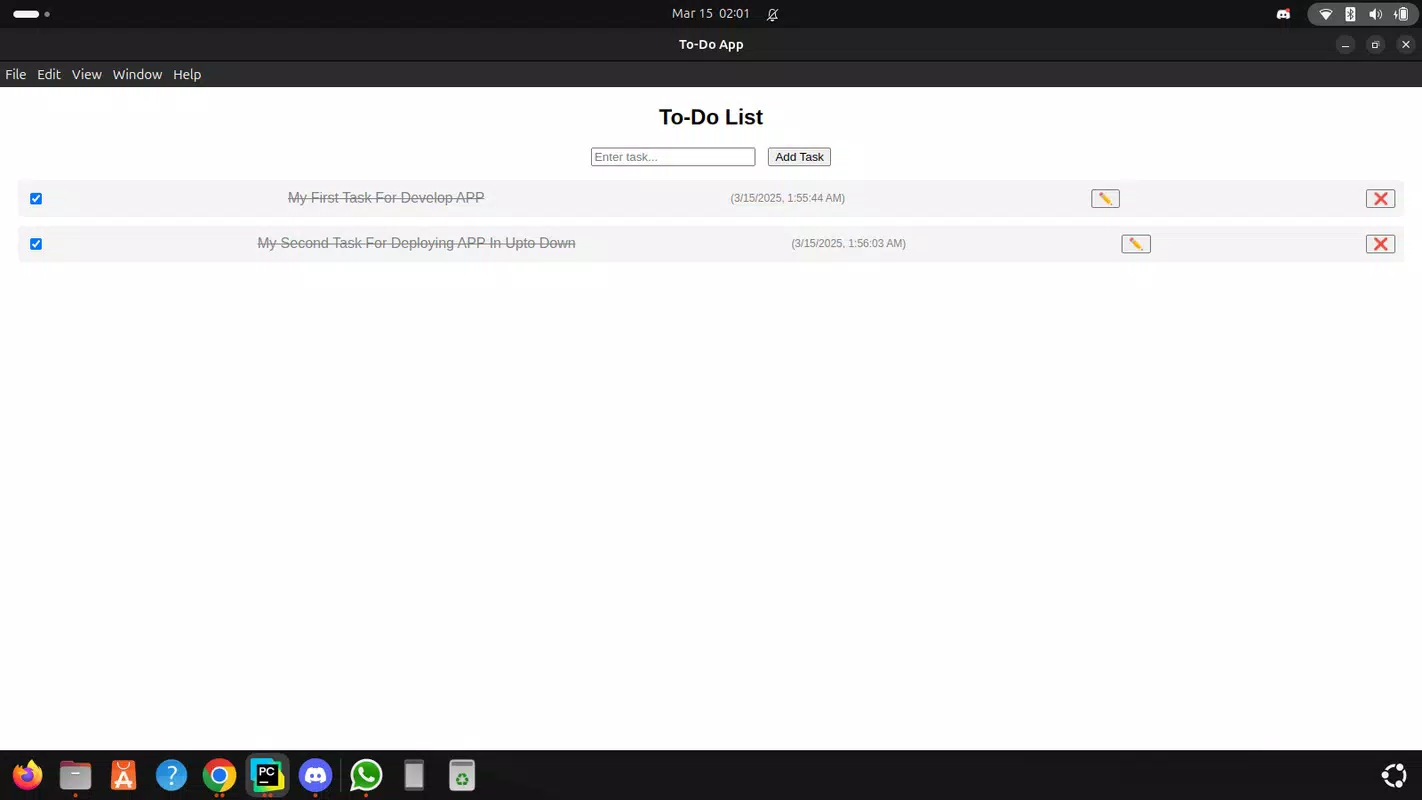
- Intuitive Task Management: Users can create, edit, and delete tasks with customizable deadlines and priority levels. A simple toggle switches tasks between “Complete” and “Incomplete,” enabling real-time progress tracking without manual updates.
- Customizable Productivity Tools: Tasks can be organized using projects or custom tags, allowing users to segment work by context or goal. Persistent local storage ensures progress is saved across sessions, maintaining continuity.
- Cross-Platform Compatibility: The app runs seamlessly on Windows, macOS, and Linux, making it ideal for users who switch between different operating systems or work in mixed environments.
- User-Centric Design: Featuring a minimalist interface, the app reduces visual clutter and focuses on core functionality. Real-time updates ensure that any changes to tasks are immediately reflected, improving responsiveness and user confidence.
- Adaptable for Diverse Users: Designed to scale from simple daily checklists to complex project workflows, the app suits a wide range of professionals, including developers, freelancers, and students.
For example, a freelance writer can use custom tags to categorize tasks by client or content type, while a student can assign deadlines to study sessions and track completion. The persistent storage ensures no progress is lost between sessions, which is crucial for long-term planning. The ability to switch task statuses instantly supports agile work habits, allowing users to quickly adapt to changing priorities.
Interface, UX & Performance
The user interface of Pikashow Task Management is built around a clean, minimalist aesthetic that prioritizes readability and ease of use. Navigation is straightforward, with tasks displayed in a clear list format where each entry includes essential details such as title, deadline, priority, and status. The layout is optimized for quick scanning and efficient interaction, minimizing the need for excessive clicks or menu diving.
Users can expect smooth navigation between tasks and settings, with consistent feedback on actions such as task completion or editing. Although the developer did not list formal performance metrics, the app’s lightweight footprint of 25.4 MB suggests efficient resource usage. The application responds promptly to user input, with updates reflected instantly across the interface. This responsiveness enhances the overall user experience, particularly during high-focus work sessions.
Performance across different device categories—such as laptops, desktops, and low-end systems—was not formally disclosed. However, the Electron.js foundation typically supports a broad range of hardware configurations. Stability appears to be a priority, as the app maintains data integrity through local persistence. No reported crashes or freezes were mentioned in available documentation. The app’s design ensures a consistent experience regardless of screen size or resolution, though specific responsiveness details were not provided.
Platform Compatibility & Technical Requirements
Pikashow Task Management is available on Windows, macOS, and Linux, offering broad compatibility across major desktop operating systems. This multi-platform support allows users to maintain consistent workflows regardless of their preferred environment. The app is distributed as a standalone executable with a file size of 25.4 MB, indicating a compact and efficient build.
The software version is 1.0.0, suggesting a stable initial release. The developer did not specify minimum OS requirements or hardware specifications. Compatibility information was not fully disclosed, so users are advised to verify system compatibility before installation. No additional dependencies or runtime environments were mentioned, which simplifies the setup process. The app is free to download and use, making it accessible to a wide audience seeking productivity enhancements without financial barriers.
Pros and Cons
Pros
- Lightweight design with a small file size of 25.4 MB
- Available on Windows, macOS, and Linux for cross-platform use
- Intuitive interface with real-time task updates
- Supports persistent local storage for uninterrupted progress tracking
- Free to download and use with no hidden costs
Cons
- Developer did not provide detailed system requirements
- Specific performance benchmarks or device compatibility details were not listed
- No cloud sync or backup features were mentioned
- Information on update frequency or future development roadmap was not disclosed
- Compatibility with older operating systems was not confirmed
FAQ
Is Pikashow Task Management available for mobile devices?
The app is currently designed for desktop platforms and is not available for mobile devices.
Can I use Pikashow Task Management offline?
Yes, the app supports offline use with local data storage, ensuring tasks remain accessible and secure without an internet connection.
Does the app offer cloud synchronization?
The developer did not specify whether cloud sync is available. All data is stored locally by default.
How often is the app updated?
Update frequency was not disclosed by the developer. Users should check the official website for the latest version.
Is the app safe to download and install?
Yes, the app is free and distributed through official channels. It does not require administrator privileges or third-party plugins, reducing security risks.
Final Thoughts
Pikashow Task Management presents a focused, no-frills solution for users seeking to improve workflow efficiency through structured task tracking. Its minimalist design, cross-platform availability, and real-time functionality make it a compelling choice for freelancers, students, and professionals managing multiple responsibilities. The app excels in delivering core productivity features without unnecessary complexity, ensuring a smooth and distraction-free experience.
While it lacks cloud sync and detailed technical specifications, its lightweight nature and local data handling offer privacy and reliability. For users who prioritize simplicity, performance, and platform flexibility, Pikashow Task Management delivers strong value. It’s especially well-suited for those who prefer desktop-based tools over mobile apps and want a secure, free alternative to more complex project management systems.
Download Pikashow Task Management now and take control of your workflow with confidence.


